
Hack 85. Generate Documentation Automatically
Use PHPDoc comments to document your code, and use the phpDocumentor to build your documentation from code comments. JavaDoc is the commenting standard for Java, and it is used to generate documentation for Java classes automatically. This comment-to-documentation idea was so popular that now almost every language has a comment markup that can be used to automatically generate documentation. For PHP, there's PHPDoc; it makes writing programmers' documentation for your classes much easier for everyone involved. phpDocumentor (http://www.phpdoc.org/) is an open source tool that parses PHP code, extracts the PHPDoc documentation, and generates HTML from the source, all with a variety of different styles. Figure 8-7 illustrates how PHPDoc takes PHP files as inputin this case, Author.phpand creates a set of HTML files as a documentation package. Figure 8-7. The PHPDoc workflow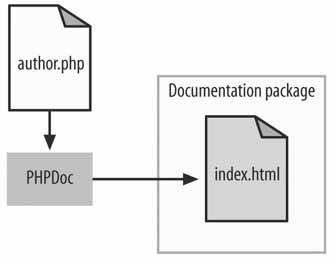
8.8.1. The CodeSave the code in Example 8-17 as Author.php. Example 8-17. The PHPDoc marked-up Author class
<?php
/**
 * An author class
 */
class Author
{
		/**
		 * Gets the name of the author
		 */
		function getName() { }

		/**
		 * Sets the name of the author
		 * @param string $name The name of the author
		 */
		function setName($name) { }
}
?>
8.8.2. Running the HackIn this case, running the code means running the phpDocumentor command on the PHP files in your project. The Author.php file is an example of a class marked up with PHPDoc comments, which all begin with the distinctive /** syntax and end with */. The text in these special comments then becomes part of the PHPDoc documentation. The @param markup element tells the documentation generator that what follows is the type of parameter, followed by the name of the parameter, followed then by a description of the parameter. For a complete list of these markup elements, you should reference the phpDocumentor documentation (http://www.phpdoc.org/). I'll list a few of the more important ones here:
You run the phpDocumentor command this way: phpdoc -t doc -f *.php
Run the command, and you will see a lot of output as the documentation is generated. Double-click on the docs/index.html page in your browser and you will see something that looks like Figure 8-8. Figure 8-8. The home page of the generated documentation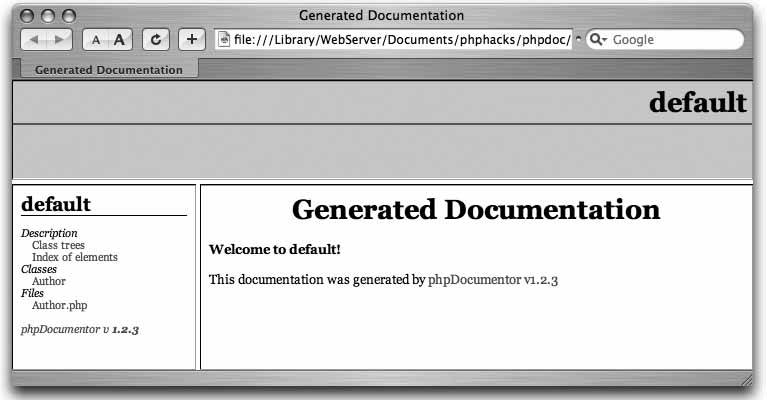
Using the navigation panel on the lefthand side of the window, click on the Author class link and you will find everything you need to know about the Author classor at least as much as the programmer commented onas shown in Figure 8-9. Figure 8-9. The documentation on the Author class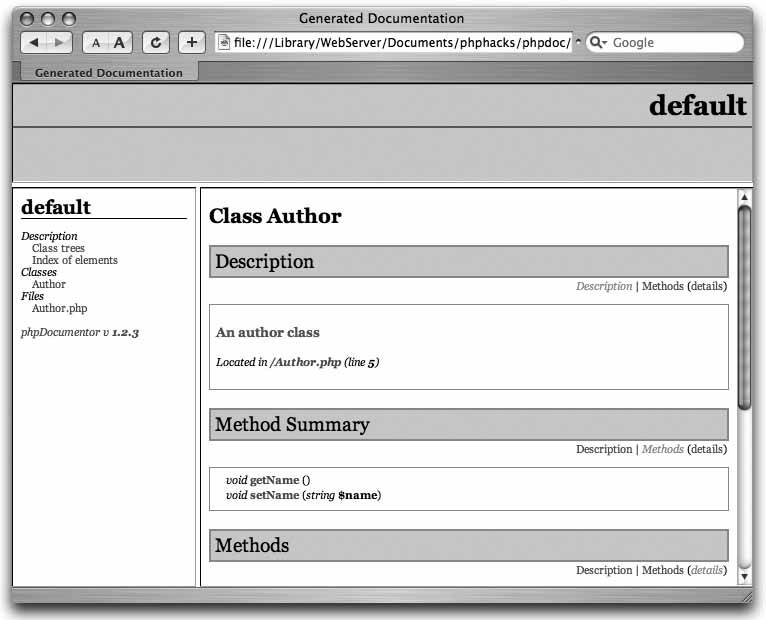
I've used just a few of the basic PHPDoc comment constructs in the Author.php class file. Many more PHPDoc documentation keywords allow for cross-linking documentation, hyperlinks, and more. 8.8.3. See Also
|


